Showing posts with label Pan Verification. Show all posts

Saturday, March 9, 2013

Income Tax :- PAN Verification

Friends,  Before submitting TDS return or submitting Income Tax Return, every assessee should confirm their PAN (Permanent Account Numbers).  In case wrong PAN number in TDS return , deductee suffers and in case wrong PAN number in Income Tax return, assessee suffers.   

          Overall everyone should avoid from error.   Income Tax Department can also charge penalty in submission of wrong PAN Number.   Time to time mode of checking of  PAN validity differs.   

          Now, recently two ways of checking have been found for PAN checking/verification.  One is through TRACES (www.tdscpc.gov.in) and Second is through TIN or CST number (http://www.tinxsys.com)

Steps of PAN Verification through TRACES

  • Just Login at TRACES with your user id and password.
  • Press Statement/Payments. 
  • Now, click on Pan Verification as shown in above picture. 
  • Enter PAN number which you want to check and select Form Type 26Q or 24Q as applicable. 
  • Status of Pan and Name of Pan will be appeared under PAN Details. 
Steps of PAN Verification through TIN or CST number 
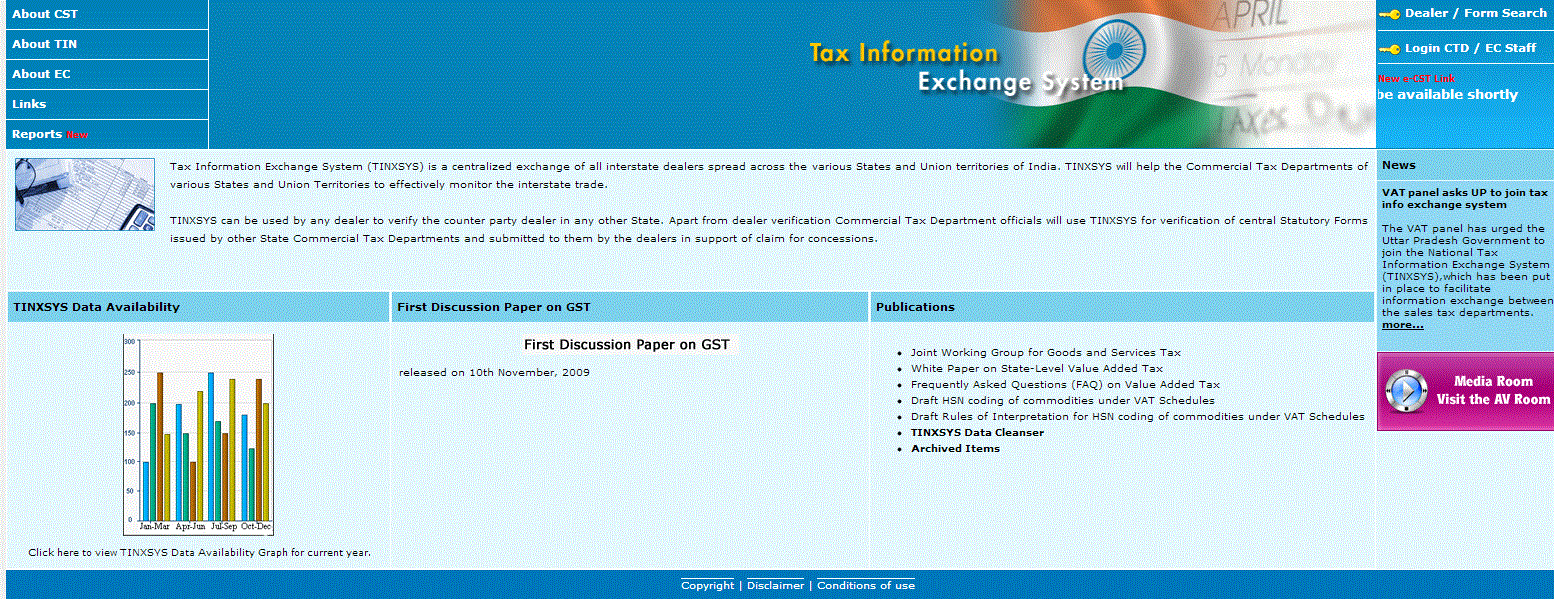
  • Just enter www.tinxsys.com in address bar of browser or Open website tinxsys.com.
  • Click on "Dealer / Form Search" link available in right hand top side. 
  • Click on "I Agree" button.
  • Search by TIN, if you know TIN number of the person/Firm  to whom you want to check PAN number. 
  • Enter TIN number. 
  • The following screen will be appeared showing concerned PAN number.  

Wednesday, April 27, 2011

How to Know Address of PAN

Friends,  It is general requirement to know what is Address of a PAN.  There may be many sources to know the address of PAN, out of which one is Form 26AS.  Form 26AS do not display only TAX ledger with Income Tax Department of a Particular Pan, but also display Address of A PAN.  By default this link is hide.  With the help of  (+) or (-) button, address of a PAN can be checked as shown in black circle in below picture. 


(-) or (+) button can be changed with the help of mouse button.

Friday, October 15, 2010

Pan Validation and Confirm Your Name

Know Your Pan, How to know Name of Your Pan, Bulk Pan Inquiry, Online Pan Verification 

It is very serious problem to know name of the Pan or Correctness of Name of the Pan, while New Registration of e-filing of Income Tax Return and letter received from Income Tax Department regarding incorrect Pan of deductee in e-tds/e-tcs return. No doubt it is human error if we type again and again Pan Number in etds return there are lot of chances to write wrong any digit of Pan out of 10 digits.   Due to electronic system, 100% accuracy is required.   There are two source to check the confirmation of  Name of Pan.  

  1. Through e-payment on www.tin-nsdl.com
  2. Through ST-1 form on www.aces.gov.in
                             Out of above two,  form ST-1 Procedure at www.aces.gov.in is best to check bulk Permanent Account Number inquiry.  There are approx 11 steps to check name of Pan at www.tin-nsdl.com whereas only one time registration is required at www.aces.gov.in.   Simple enter your Pan number and Check it's Name.  Complete procedure is given as under :-
  • Login www.aces.gov.in
  • In left hand, Click on "Service Tax" Button.
  • If new user, free register  yourself on clicking at "New Users to click here to Register with ACES otherwise enter your User Name and Password to Logon.
  • Click on Fill ST-1 under REG link.
  • Now enter Pan Number  in field "Pan (if alloted) "
  • Click on Blank space
  • Name of the Pan will be appeared in the field "Name of applicant (as appearing in Pan).
Really, it is too much easy/simple  to check name of Pan in bulk quantity

Picture view of ST-1 at www.aces.gov.in is given as under


Intense Debate Comments